Introduction
This note outlines some nifty hacks with the Motorola RAZR v3c and Mac OS X.
These hacks worked for me, but your mileage may vary. As with any procedure that involves editing system files or messing about with your data, make backups of everything you touch. I can’t take responsibility if your phone bursts into flames or eats your dog.
-
iCal sync for Verizon and Canadian carriers
Enable iCal sync if your carrier has disabled it. -
Pictures, Ringtones, etc. over Bluetooth
How to transfer pictures, ringtones, and other media over Bluetooth. Not really a hack, but useful.
iCal sync for Verizon and Canadian carriers
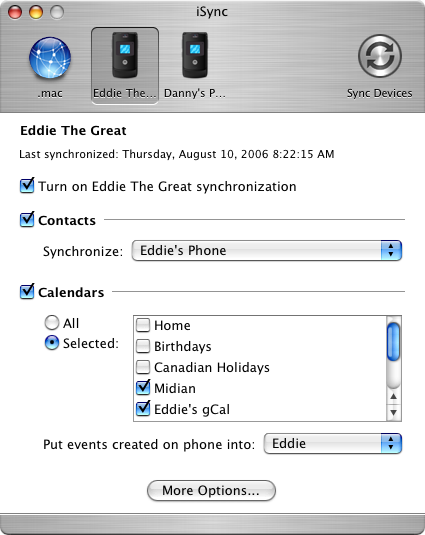
Thanks to Brian Toth for this fix.
According to iync’s list of supported devices, the RAZR will sync with iCal. This feature is disabled for the Verizon version of the phone, as well as the version sold by some Canadian carriers (I’m on Bell Mobility, I’ve heard Telus disables it as well).
There may well be a reason iCal sync is disabled; it works for me but as always, be careful!
Fixing your Verizon or Canadian RAZR to sync with iCal
-
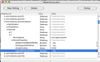 Locate the iSync application (usually in /Applications). Right-click or control-click, and “Show Package Contents”
-
Navigate to
/Contents/PlugIns/ApplePhoneConduit.syncdevice/Contents/PlugIns/ PhoneModelsSync.phoneplugin/Contents/Resources/and open theMetaClasses.plistfile -
Find the
com.motorola.razorV3cVerizonkey -
Under
Services/1/ServiceProperties, you’ll seesupportsCalendarsSyncis set to No. Switch it to Yes, save the file, and start iSync; you should be able to sync your calendars.

Pictures, Ringtones, etc. over Bluetooth
This is simple enough, I only ouline it here because it’s not mentioned in any manual I’ve seen.
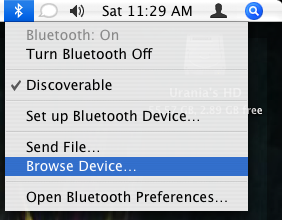
- Your phone must already be paired with the Mac and Bluetooth must be turned on
-
From the Bluetooth menu on your desktop, choose “Browse Device”
-OR-
Run the Bluetooth File Exchange application (should be in /Applications/Utilities/) and choose “Browse Device” from the File menu - You can drag files to and from the phone to your heart’s content; media you add to the phone will be immediately available.
Thanks for the information, very useful to add a little knowledge about the motorla v3
Buy their tools? I don’t think they will sell them to end-users but there are *koff* way to acquire them. Verizon users can access an older version of the phone’s OS/firmware that offers unrestricted OBEX capabilities. Not for the faint of heart but possible . . .
Brill. Thanks very much. This has been driving me nuts for ages.
Clinton,
If your RAZR came from Verizon, it’s likely intentionally crippled by the carrier, so they can sell you their own phone tools instead of letting you use third-party utilities to do what you want.
I am trying to figure out how to access pictures and whatnot when the bluetooth browser states “Device does not have the necessary services” when trying to browse the phone.